
Animations
The graphic objects that you can insert in a template are called Animations.
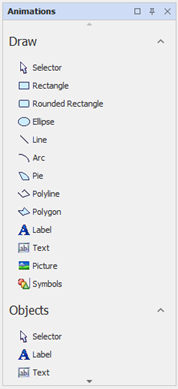
Animations are divided into two categories: Shapes and Objects.
The Shapes category includes drawing tools of geometric shapes, while the category Objects are the elements that perform specific functions (e.g. Trend or Event List).
Animations can be used to develop the design of the user interface and as active elements, can provide a dynamic representation of the data and act as controls. An animation can perform multiple functions simultaneously.
The Animations dockable window displays available animations and allows you to select and insert them into the screen.
To insert an animation, simply click on it, then start to draw it on the open page.
The configuration of the animation is by setting the appropriate property.