Editor
The scripts are defined, modified and tested using the script editor. The editor is called in different ways depending on the calling object/module.
The background script editor is invoked by selecting the Bakground Script command from the Configure menu of the X Editor.
The page, object and action script editor can be accessed by selecting the "..." button for the Script entry in the element properties window:
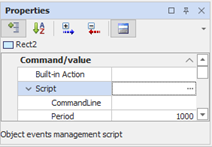
The Script entry is contained in the Execution or Command/Value section, depending on whether it is a page or a graphic object, respectively, or is displayed by selecting the Script action in the case of the Action scripts.
It should also be noted that the tools and references available for the development of the script vary depending on the type being edited: for example, the dialog editor is not available for background scripts (which can not display the user interface), the reference to the current page is only available in page or object scripts and in wizards.
Likewise, the save command is only available for the Background script editor, because in other cases the script is integrated into the definition of the element to which it refers.
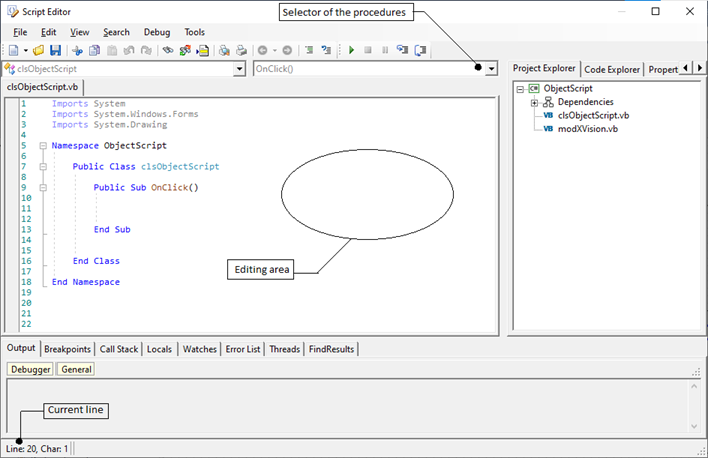
The script editor looks like this. Some commands may vary according to the type of script.