
Project Management: the Project Manager module
The module is activated by selecting the Project Manager icon from the Crickets X Vision8. 0 group in the programs menu. At startup the screen shown in the following figure is displayed:
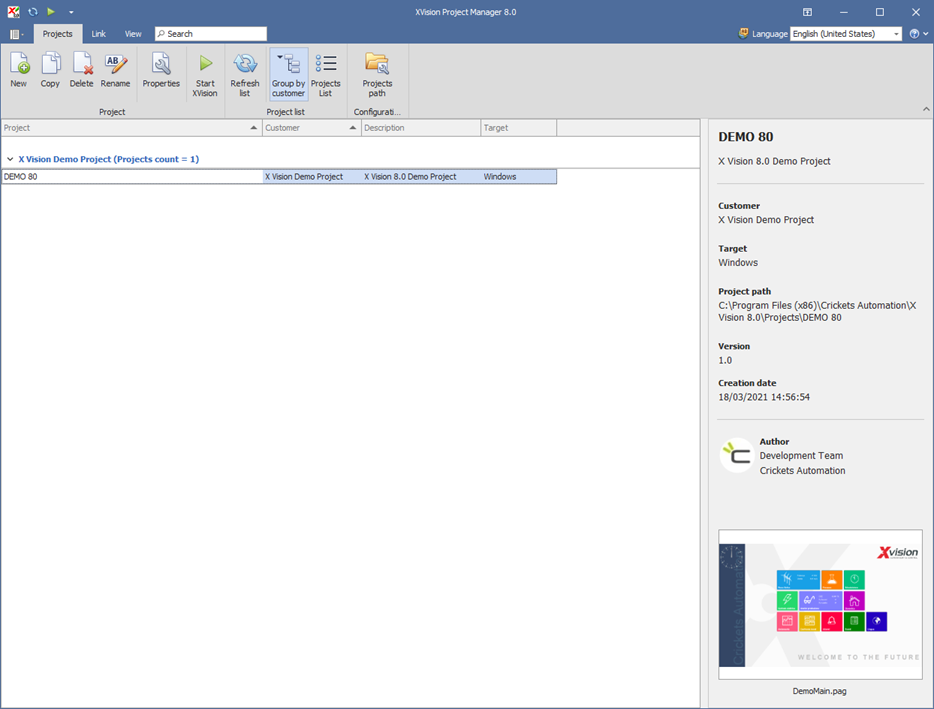
The list shows the projects present in the X Vision Projects folder of the installation directory of X Vision. The commands of the main menu are also available on the toolbar or from the context menu.
Through the Project Manager you can create, copy, delete, and export projects, and start the system X Vision on the chosen project. The Project Manager is therefore the standard starting point for the task of developing a supervision project.
Note: The Project Manager module can not be started while the system X Vision is active.