
Wizards management
The wizards are managed through the Wizard Selection window, activated by selecting the Wizard... command from the X Editor Tools menu.
The window displays the available wizard categories and the wizards contained in each of them, as shown in the figure:
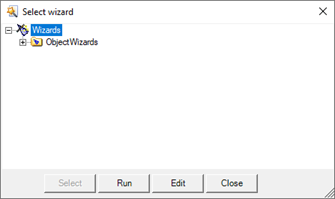
Using context menu, you can create, rename or delete categories and create, edit, rename, delete or run wizards.
Note: to move a wizard to another category, you need to activate a Windows Explorer session and manually move the wizard folder from one category folder to another.
The Select button is only available when the window acts as a selection window for linking a wizard to a symbol.
The Execute and Edit buttons allow respectively to activate the selected wizard or to edit the code. When a wizard is started, the control switches to the selected wizard until the end of the execution.