
Adding an Item
To insert an Item in the database, within the development environment X Editor:
- Select the command New from the DataBase menu, and then click the command for the Item type that you want to enter.
- or - - Activate the database editor by selecting the Item List from the DataBase menu
- Select form the toolbar or from the context menu the tool for the type of item you want to insert.
In both cases, the system displays the input window for the item of the chosen type (AI, AO, DI, DO, TX), as in the example below:
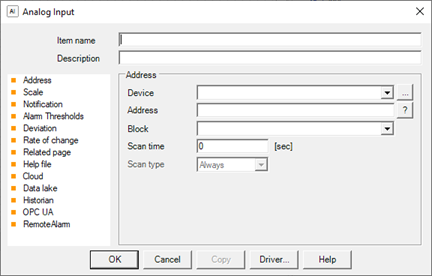
Each data entry window contains fields common to all Item types and type related fields.
Note: you can also add a new item directly from the configuration window of animations. For more information, see "Fill in the Item field and / or expression field" in the chapter "Standard techniques of editing".
Note: To enter an Item you must specify at least the Item Name.