
Creating a new project
The first operation necessary for the development of an X Vision project is the creation of a Project. To create an empty project:
- Select the command New Project from the menu File or click on the corresponding icon in the toolbar.
- Project Manager displays the Project Properties window, for entering information about the new project:
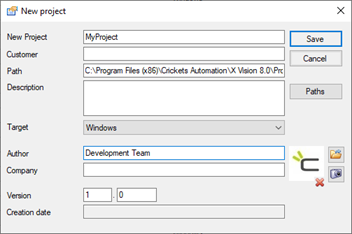
Enter the requested information. The release of the project properties is optional, except for the fields Name and Version. For more information about the properties window of the project, refer to section Property and project statisticsLater in this chapter. - Selecting OK the system creates a new directory for the project with the specified name and generates inside the directories by default.
The project name must be unique and be bound by the constraints of name imposed by the Operating System.
Caution! The absolute path of a project (consisting of the absolute path of the Projects directory and the name of the project itself) must not exceed 255 characters.