
Definizione delle stringhe di traduzione
To configure the translations for the user interface of your project, select the Languages command from the Configure menu in X Editor, or from the Project window expand the Configuration item and select Languages
The system displays the Languages window :
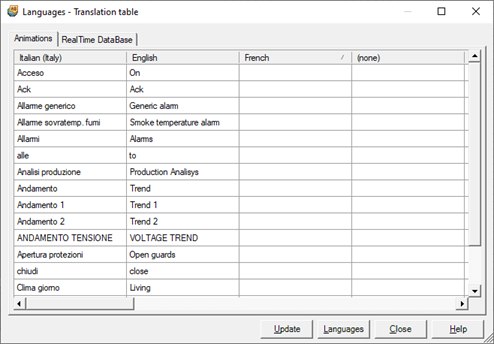
The window is organized on two tabs: Animations and RealTime Database. The Animations tab contains all the text contained in the animations in the pages and menus. The RealTime Database tab contains descriptions of the items in the RealTime Database.
The definition of the translations through the Languages window consists of a few simple steps:
- Export texts from Pages and menus in the project.
- Export descriptions of the items defined in the RealTimeDatabase
- Select translation languages
- Enter translations