
Editing byNotePad
In case you need to manually change an initialization file, we recommend using the Windows Notepad utility:
- Select Notepad in the Accessories group of the Windows Start menu. The system shows the Notepad window.
Note: The program may be located elsewhere.
- Choose the Open command on the File menu and select the initialization file you want to change. The Note Pad shows the contents of the selected initialization file.
For example, in the case of the ALARM.INI file: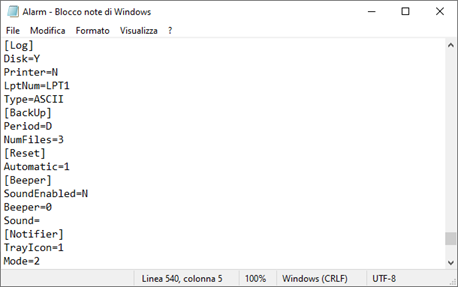
- Change the desired items.
- Save the initialization file.
- To activate the changes made may be necessary, depending on the case, restart the affected module.
For more information about how to use Notepad refer to the documentation for the program.