
The Development Environment (X-Editor)
All editing and configuration necessary to build of a project are executed through an advanced integrated development environment (IDE Integrated Development Environment) Called X Editor.
The fully customizable work area is composed by menus and toolbars (Toolbar), and dockable windows from the drawing, the occurrence of synoptic editing.
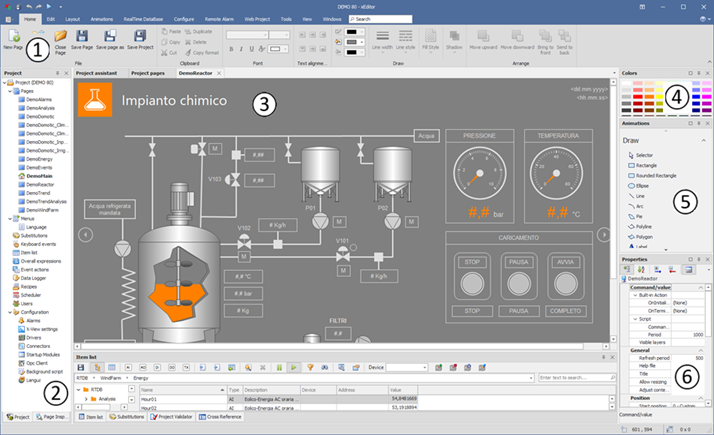
- Customizable Toolbar
- The Project window
- Canvas (synoptic page)
- Default color palette
- Window animations
- Properties Window
Menus, toolbars, and windows can be edited and positioned as desired in the development environment; all items can be anchored to the sides of the main window, or made floating above the work area.
The placement of the various windows can be changed at will by dragging and dropping them into the desired position: starting dragging a dockable window displays the appropriate Guides coupling that allow you to more easily choose an anchor position:
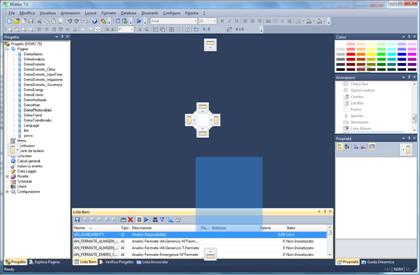
Releasing the window on a mounting rail, it is automatically anchored in the corresponding position.
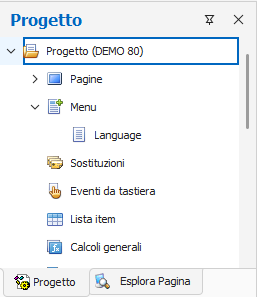
Docked windows can be set as either stable or windows like windows disappearing acting on the key  . A pop-up window can be expanded by selecting the corresponding bookmark:
Note: To increase the space available for the drawing area, you can temporarily hide all Toolbar selecting the command Hide Toolbars from the menu View. The same command allows you to exit the mode back to the previous display.
In the default display can be identified four main windows:
|
Project |
It provides a hierarchical representation of the elements of the project and allows you to manage |
|
Color Palette |
Lets you quickly apply a default background color, foreground or fill to an object |
|
Animations |
Palette of drawing tools / insertable objects |
|
Property |
Table of properties of elements on the page |
Advanced features are available in the Explore Page,Cross-List and Check Project forms, while the Dynamic Help window allows you to quickly access the main reference information for the active element in the development environment. For more information, please refer to the specific descriptions of the individual windows within this chapter.