
Using multiple script modules
Unlike the scripts normally used in X Vision, the wizards allow the integration of multiple code modules. This introduces some significant advantages:
- reduction of the size of the main module
- better organization of the written code, with the possibility of grouping the functions and the definitions according to functionality, dependencies, etc., creating modules with specific purposes (e.g. it is possible to isolate in a single module the interfacing functions with the RealTime Database, or definitions of constants, enumerations and data structures ...)
- reusability of the written code: for example, it is possible to define once and for all some modules with general functions, which can be copied into other wizards and immediately used.
By default, when creating a new wizard, the basic module Main.bas is created, within which the sub Main (the main procedure) is defined. Both the module and the Sub Main function must not be renamed.
To add new code modules to the current wizard simply select the New... command from the file menu. To import an existing module from another wizard, simply copy the relevant module by opening a Windows Explorer session.
The File menu allows the management of script code modules.
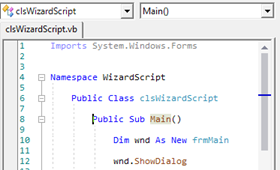
Each module exclusively exposes the elements declared as Public or Global. In order for a module to access variables, enumerations, declarations and procedures contained in other modules, the references to the modules containing the entities used must be declared in the header of the module in question with a comment #Uses. In the example below, a #Uses declaration was introduced in the Main.bas module to refer to it entities (procedures, constants, functions, etc.) declared in the modB.bas module:
For more information on using the #Uses declaration refer to the Basic Script Guide and the language help (available from the Editor Help menu).
The Intellisense and the self-completion functions for the symbols defined in the modules, become active only when the modules are open.
The Open module in use command in the Module menu allows you to open all the modules referenced by the #Uses declarations in the current module.