
Viewing license options
X Vision options are enabled by the plugged hardware key and can be verified through the Key Options window.To display the Key Options:
- Start X Editor
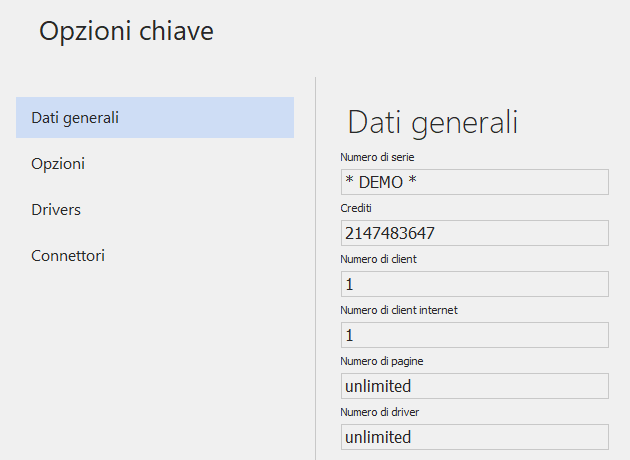
- Select the Key Options command from the File menu. The system displays the Key Options window. The enabled options are highlighted and the check box is marked with a checkmark. The options shown in gray and with no check mark are not enabled.
The Number of Clients field specifies the number of client stations that can be managed with the current license.
Note If the protection key is missing, the Key Options window displays the word "DEMO" in the Serial Number field and highlights the options that can be used in the demo version.
You can also query key options by clicking the right mouse button on the System Start icon in the taskbar and selecting the Key Options command from the menu.