
Assigning access restrictions
The access restrictions related to the action (command) associated with a graphic object, to a menu item or to a keyboard event are defined by suitably configuring the area (or areas) it belongs to and the Security level: the properties that define these parameters are called Security Area and Security Level (for some elements these properties are simply indicated with the terms Area and Level).
For animations, these properties are grouped in the Security category.
By setting one or more areas and a security level, the operation on the configured element will be allowed, subject to LogIn, exclusively to operators to whom at least one of the areas associated to the object has been assigned and whose security level is equal or higher to the one assigned to the object.
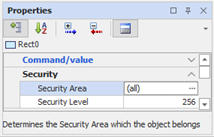
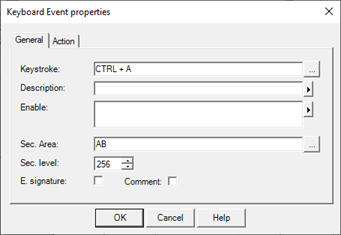
In the following examples we have assigned the areas A and B and the security level 256 respectively to an animation and a keyboard event:
- Animation:
- Keyboard Event:
By default, all new elements are initially assigned to all areas, and associated with a safety level of 1. This allows the activation element in the absence of login.
Default privileges
If no user is logged on to the system, the user's default access privileges (not login) are set as follows:
|
Enabled areas: |
All |
|
Security level: |
1 |
Enabling security management
The security check is performed only if security management is enabled at system level (see par. Configuring the system security management already discussed in this chapter.)