Changing the password
An operator can request the modification of his password by acting on an appropriately configured control element (action User : change password).
The password change window is shown in the following figure:
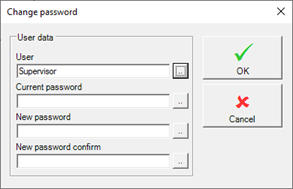
To avoid typing errors, the new password must be retyped.
How to call the change password form
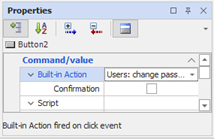
To allow the user to change their password is necessary to provide a specific control element (animation, menus or keyboard event) for which the action Users: Change Password has been configured.
In the following example you can see the configuration of an animation: