
Items filter and search tools
For the rapid identification of Items or Item groups within the database, the Item list window provides the Display Filter and Find Item functions.
Visualization filter
The display filter allows you to limit the displayed items to those of interest. The filter selcts items by item type and/or by item name.
To activate the filter, select the icon  in the toolbar of the Item List window and select the filter criteria in the window that appears:
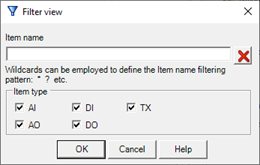
The Item Name field enables you to specify a template to compare with the name of the items contained in the database, if completed, displays only items whose name matches the pattern posted. The template is often built using wildcards (see par. "Wildcard characters" in the chapter "common text Functions")..
For example, to display all the items whose names begin with "PRESS" type:
PRESS*
The section Item type restricts the display to only those item types affecting.
Pressing OK the filter is activated on the basis of specified criteria, hiding all the items that do not match the filter mask set.
To disable the filter access the Filter view and remove the filter criteria.
Find item
You can search for an item within the list by selecting the tool  in the toolbar or by the Search command from the context menu: the system shows the Find Item window:
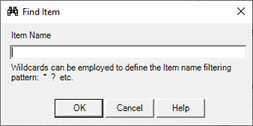
Specify the name of the item searched; you can use "wildcard" (see "Wildcards" inside chapter "Common editing") to define a generalized search criteria.
Choose OK to start the search; choose Cancel to abandon.