
Legend configuration (Legend tab)
The legend presents the description of the trends shown by the trend identifying the size of the pen (line size) used for their representation; also provides some information about the values of the variables. Clicking on a magnitude listed in the legend is also possible to display the scale associated with it.
The properties of the legend are set in the various tabs:
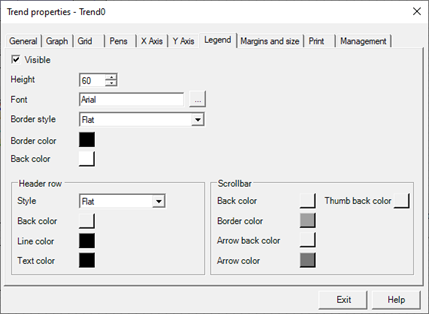
The Legend tab contains the following configuration fields:
|
Visible |
If selected, enables the display of the legend. |
|
Height |
Specifies the height of the legend in pixels |
|
Font |
The "..." button allows you to configure the font used for the label text. |
|
Back color |
Specifies the background color of the legend. |