
Opening a page with a substitution
To open a page with substitutions, specify the name of the substitution in the Page: Open page command..
In the following example, an animation has been configured to open the "Turbine" in association with substitution "Substitution 1":
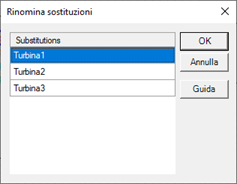
When the Page: New Page action is selected, the Page field allows you to specify the name of the page to be displayed, while the optional Substitution field allows you to specify the name of the Substitution set to be used to resolve the symbolic references in the requested view.
Substitution must be done by animation, keyboard event or menu command, or alternatively by foreground scripts.
It is not possible, vice versa, to immediately associate a Substitution file to the initial page.